Techno-day:
introduce students to robotics!
Are you a teacher and want to organize a Techno-day
or a project week so that your students can discover
the world of robotics for themselves?
DIGITAL SCHOOL will help you take the first step in robotics for children. At our Techno-days, we introduce students to the basics of construction and programming using LEGO (for younger children) and Arduino (for older children). The classes are related to school subjects – mathematics, physics, computer science – and show how theory comes to life in practice. For example, children learn how mathematics helps to program the movement of a robot. We combine learning with entertainment, because children learn best through play! If you would like to organize a Techno Day at your school, please fill out the form below.
We will contact you as soon as possible!
Techno Day Information:
Duration: 2 classes of 90 minutes each (depending on your wishes).
Cost: Depends on the duration, number of participants and materials.
Languages: German, English.
Groups: Up to 10 students per group.
Materials: We use LEGO sets for younger children (6-12 years old) and Arduino boards for older children (10-14 years old), depending on age and interests.
Techno Day Request
Robots Overview
We use the following robots in our courses, among others:
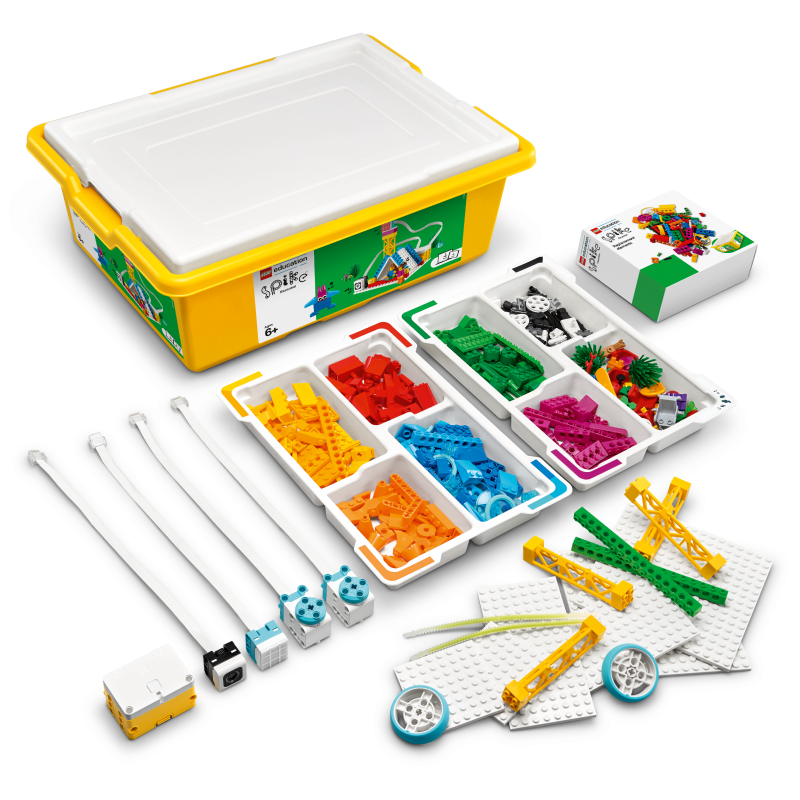
LEGO® Education SPIKE™ Essential
- Easy-to-use robotics kit.
- Ideal for younger children to take their first steps into the world of construction and programming.
- Contains a variety of LEGO pieces, motors and sensors that connect easily.
- Allows models to be expanded with additional LEGO Technic elements.
- Minimum age: 6 years.
- What is robotics and how are robots used in everyday life?
- What is a motor and sensor and how do they work?
- What motors and sensors are in the LEGO SPIKE Essential set?
- What functions do they perform and how do they work?
- How to program models using visual programming languages (e.g. Scratch)?
- How to configure a model to perform various tasks – from movement to response to sound?
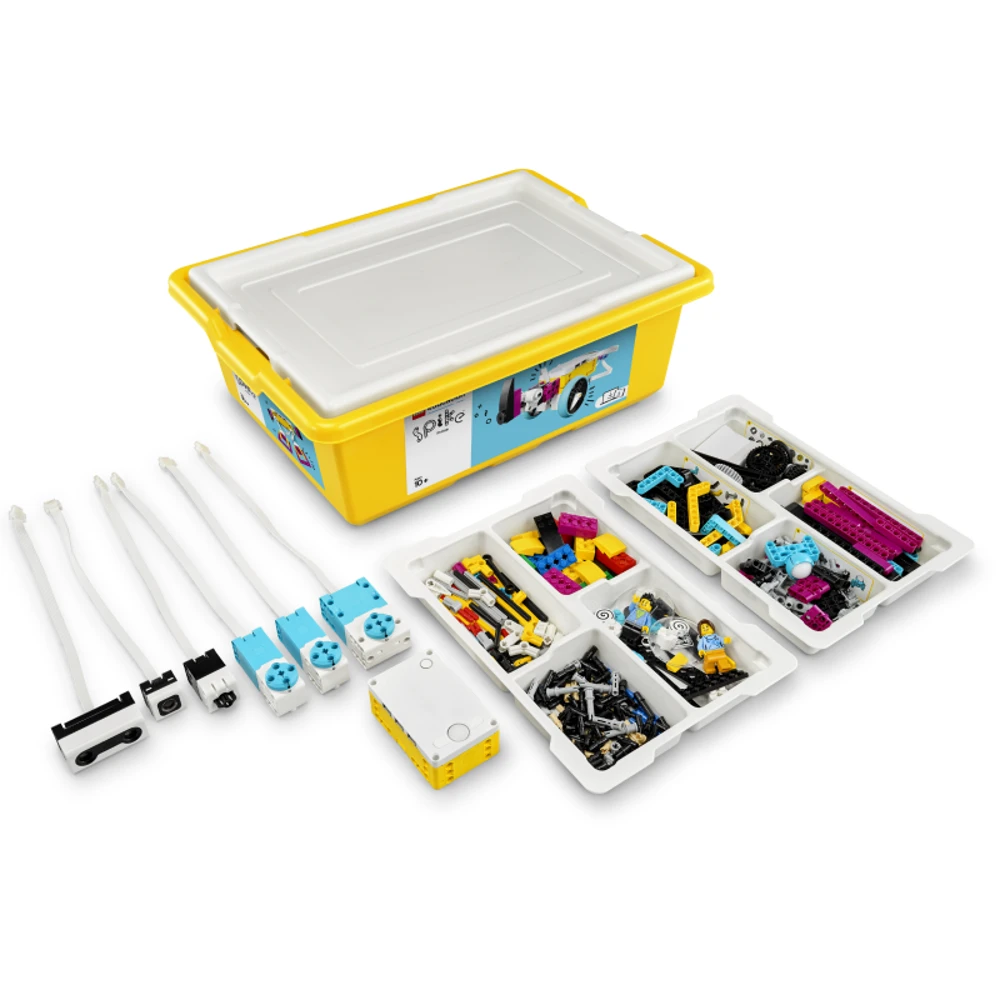
LEGO® Education SPIKE™ Prime Set
-
A modern set for learning robotics and programming.
-
Ideal for students aged 10-14 to solve real-world problems through STEM projects.
-
Contains a programmable hub, motors, color, distance and force sensors, 528 LEGO parts.
-
Allows programming via Scratch and Python to create complex models.
-
Minimum age: 10 years.
- How to build and program robots to solve practical problems?
- How do color, distance, and force sensors work in robotics?
- What components are included in the LEGO SPIKE Prime set?
- How to use motors and sensors to create interactive models?
- How to program using Scratch or Python to perform complex tasks?
- How to create projects, such as robots for FIRST® LEGO® League competitions?
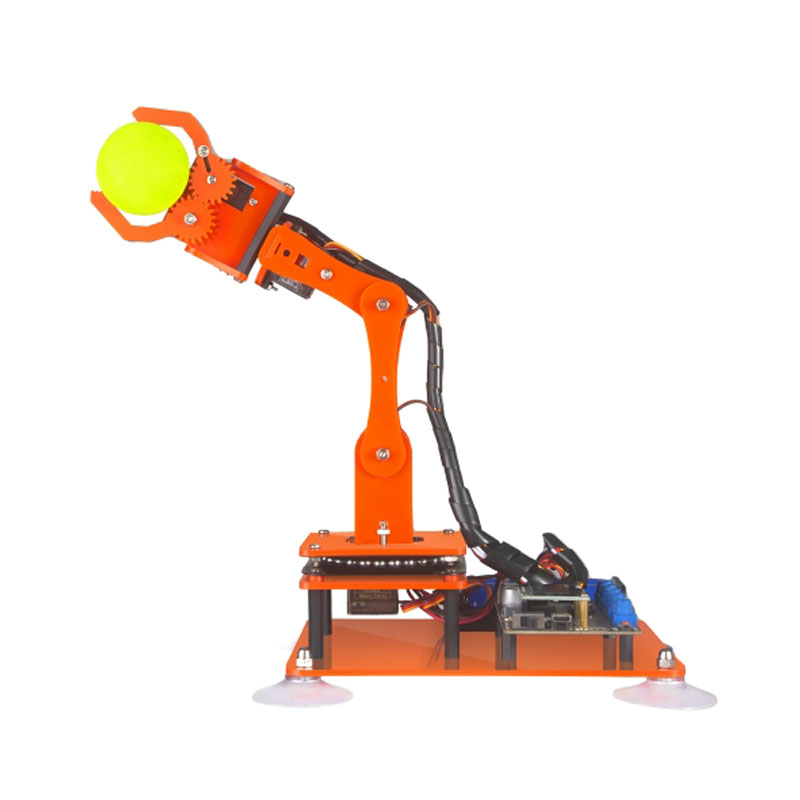
Adeept 5-DOF Robotic Arm
- A 5-DOF robotic arm for learning programming and robotics.
- Ideal for students ages 10-14 to learn the basics of coding and building.
- Features an Arduino IDE-compatible board, OLED display, servos, and suction cups for stability.
- Allows you to create your own projects by adding LEGO Technic parts for expansion.
- Minimum age: 10 years.
- How does a robotic arm work and where is it used in real life?
- What are servos and how do they provide movement?
- What components are included in the Adeept 5-DOF kit?
- How do servo motors and OLED displays help with projects?
- How do I program the hand via the Arduino IDE using C/C++?
- How do I configure the hand to perform tasks such as moving objects?
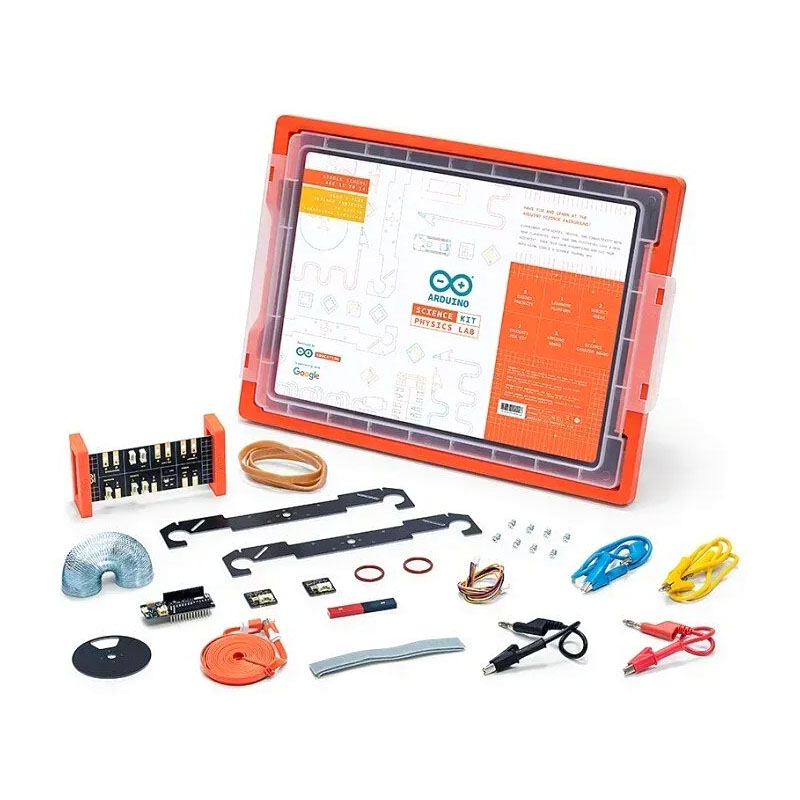
Arduino Science Kit Physics Lab
-
An interactive set for learning physics through hands-on experiments.
-
Ideal for students ages 11-14 to explore the basics of motion, forces, and electrical conductivity.
-
Includes the Arduino MKR WiFi 1010 board, sensors for measuring light, temperature, motion, magnetic fields.
-
Allows you to conduct experiments using the Arduino Science Journal app to record data.
-
Minimal age: 11 years old.
- How to conduct science experiments and test hypotheses?
- How to measure physical phenomena (motion, forces, temperature) in the real world?
- What are sensors and how do they work in robotics?
- What sensors are in the Arduino Science Kit?
- How to use sensors to create projects, such as a model of an attraction?
- How to record and analyze data through the Arduino Science Journal app?
- How to program an Arduino board to perform tasks, such as responding to changes in light?
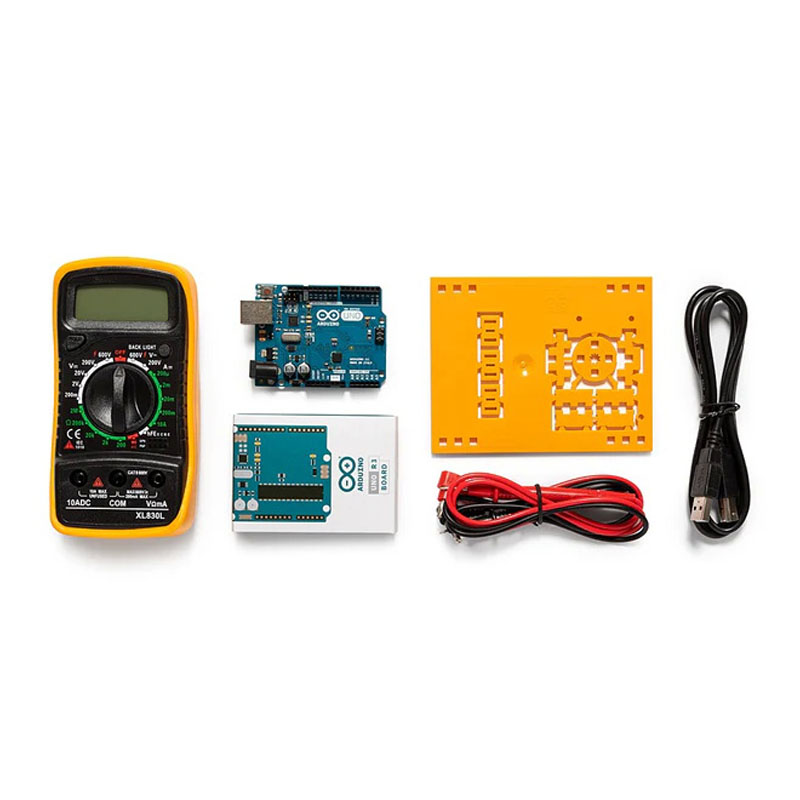
Arduino Education Starter Kit
-
A set for learning the basics of electronics and programming in the classroom.
-
Ideal for students aged 11-14 to learn the basics of coding and working with electronics.
-
Contains 4 Arduino UNO R3 boards, multimeters, breadboards, sensors, wires and other components for group work.
-
Allows 9 lessons and 2 group projects with access to an online platform.
-
Minimum age: 11 years.
- What is electronics and how do the basic components (current, voltage, resistance) work?
- How to use sensors and actuators mechanisms in projects?
- What components are included in the Arduino Education Starter Kit?
- How do sensors and boards help create interactive devices?
- How do you program an Arduino board using the Arduino IDE to perform tasks?
- How do you create your own projects, such as an automatic lighting system?
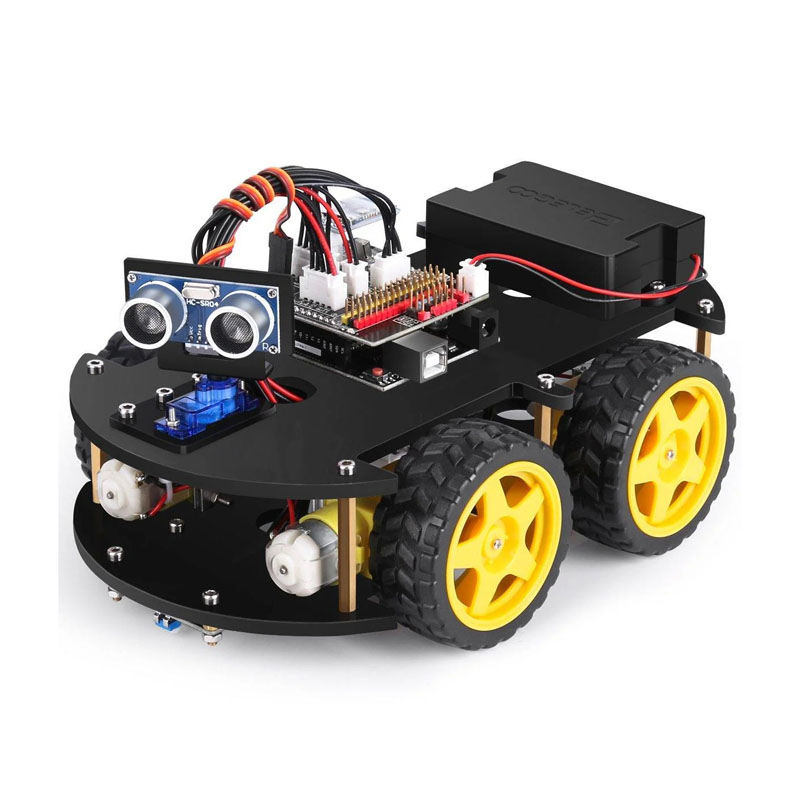
ELEGOO Smart Robot Car Kit V4.0
-
A smart robotic car for learning programming and robotics.
-
Ideal for students aged 10-14 to learn the basics of coding and construction.
-
Contains an Arduino UNO board, sensors (lines, ultrasonic), motors, a Bluetooth module and a camera (in the version with a camera).
-
Allows you to create projects with line following, obstacle avoidance and remote control functions.
-
Minimum age: 10 years.
- How does a robotic car work and where are such technologies used in life?
- What are sensors (ultrasonic, infrared) and how do they help work?
- What components are included in the ELEGOO Smart Robot Car Kit?
- How do sensors and motors allow the car to move and avoid obstacles?
- How to program an Arduino board via Arduino IDE to control a car?
- How to configure a car to perform tasks, such as line following or responding to obstacles?
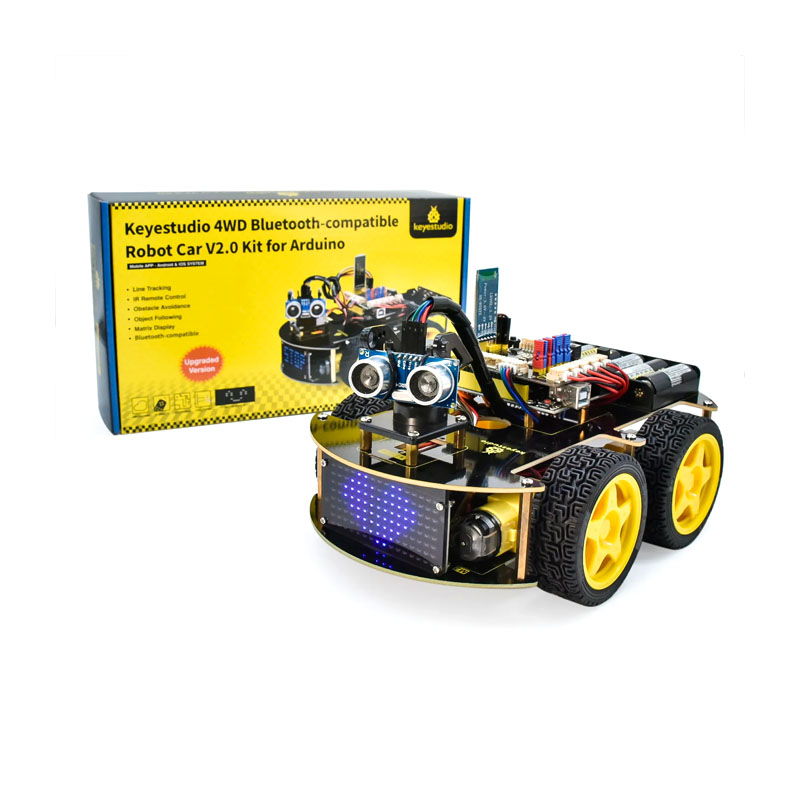
Keyestudio 4WD BT Smart Car V2.0
-
A multifunctional smart car on 4 wheels for learning robotics.
-
Ideal for students aged 10-14 to learn programming and construction.
-
Has an Arduino UNO board, line-following sensors, an ultrasonic sensor, a Bluetooth module and an LED display for displaying emotions.
-
Allows you to expand projects by adding new sensors or modules.
-
Minimum age: 10 years.
- How does a smart car work and where are such technologies used?
- What are sensors (ultrasonic, infrared) and how do they help in navigation?
- What components are included in the Keyestudio 4WD Smart Car kit?
- How do sensors and LED display allow the car to react to its surroundings?
- How do I program an Arduino board via Arduino IDE to control the car?
- How do I configure the car to perform tasks such as following a line or avoiding obstacles?